How to Fix Audio and Video Out of Sync in CapCut
Audio and Video Out of Sync in CapCut is a very common problem. Many users face this issue while editing reels, YouTube videos, or school projects. The sound plays early or late. It feels strange. Honestly, it can ruin a good video.
Sometimes the issue happens during editing. Sometimes it appears after export. Well, this can confuse beginners. But do not worry. In this guide, I will explain simple and clear steps to fix Audio and Video Out of Sync in CapCut easily.

You do not need technical skills. Just follow small steps. The problem is not serious most of the times. It happens because of settings, device issues, or wrong export options.
Why Audio and Video Out of Sync in CapCut Happens
Before fixing, we must understand the reason. When you know the cause, the solution becomes easy. There are many small reasons behind Audio and Video Out of Sync in CapCut.
Frame rate mismatch is one of the reasons. When recording your video at 60fps but the project at 30fps the timing can change. This creates delay between audio and visuals.
Another reason is low device performance. If your phone has low RAM or storage, the app may lag. Background apps also slow down the editing process. Sometimes cache files become heavy and disturb syncing.
Some users try unofficial versions like CapCut Mod APK. These versions may have bugs. They can create export errors and syncing issues. Nonetheless, the official version is better to utilize.
Even new updates such as CapCut 2026 might contain small bugs when they are released. Updating again after patch release usually fixes it.
How to Fix Audio and Video Out of Sync in CapCut Step by Step
And now shall we solve the problem stepwise. Follow these simple fixes.
Check and Adjust Frame Rate
The first process would be to verify your video frame rate. Make your project 30fps when you are working with 30fps video. If it is 60fps, match it properly.
To check, go to project settings. Make sure export settings also match the same frame rate. Audio and Video out of Sync in CapCut is a frequent occurrence when frame rates are not even.
As an illustration, when you captured gameplay at 60fps and export 24fps, time can change. So keep it consistent.
Split and Manually Adjust Audio
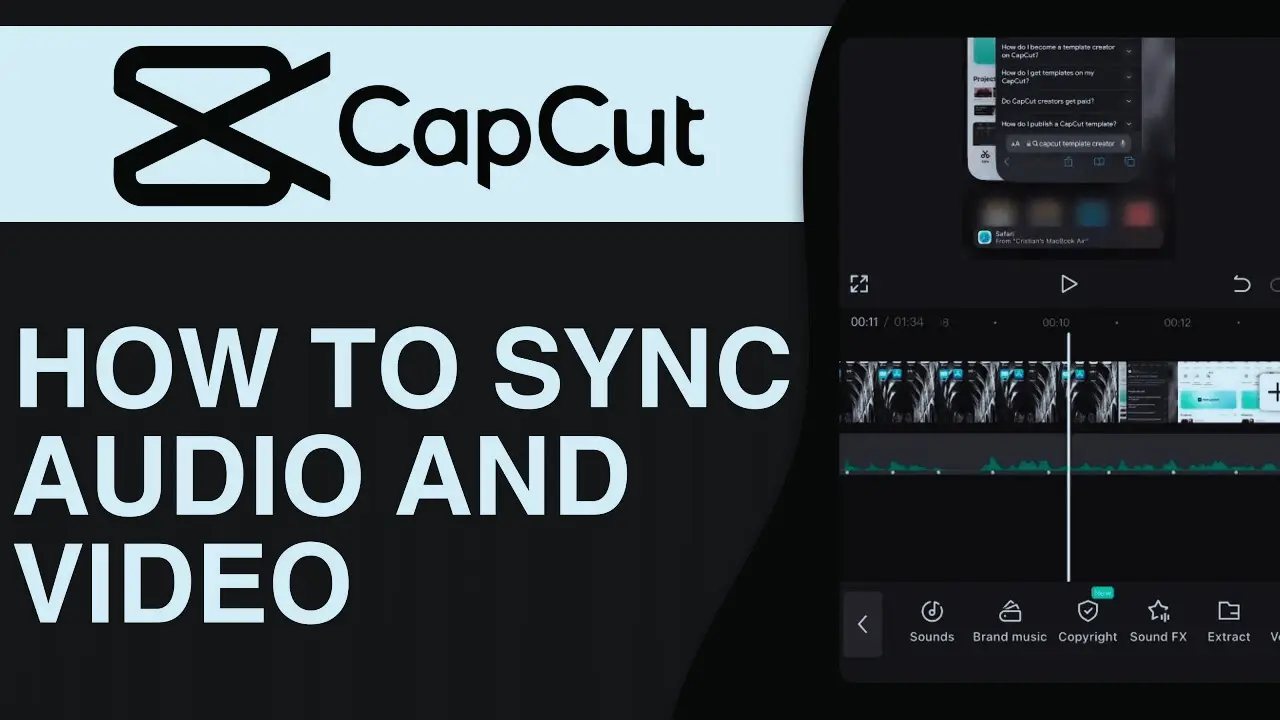
When the issue is minor, it can be repaired manually. Tap on the video. Detach the audio. Now zoom in on the timeline.
Move the audio slightly left or right. Just small movement. Play and check again. Repeat until perfect sync.
Honestly, this method works in many cases. I personally use this when delay is very minor. It takes only two minutes.
Clear Cache and Update App
Go to CapCut settings. Find clear cache option. Remove unwanted cache files. This helps improve performance.
Thereupon, update in Play Store or App Store. In case you use CapCut Pro Download, it should be official. Avoid downloading from unknown websites.
Many sync problems disappear after updating the app.
Close Background Apps
Before editing, close all background apps. Restart your phone. Free some storage space.
Low memory can cause Audio and Video Out of Sync in CapCut during preview. When device works smoothly, syncing becomes stable.
Optimize Export Settings
It will not be possible to export in high resolution with a weak device. When there is need, use 1080p instead of 4K.
Keep bitrate normal. Do not push extreme settings. Balanced export settings reduce timing errors.
Advanced Fixes for Serious Sync Problems
Sometimes basic steps do not work. Then you need advanced methods.
Convert Video Format Before Editing
Some videos use VFR which means variable frame rate. CapCut works better with constant frame rate.
Convert your video to MP4 with constant frame rate using a converter tool. After that, import again. Many users say this fully solved Audio and Video Out of Sync in CapCut problem.
Reinstall CapCut Properly
Backup your projects first. Then uninstall the app. Restart your phone. Install again from official store.
Do not install cracked versions. Clean installation removes hidden bugs and damaged files.
Tips to Avoid Audio Sync Problems in Future
Prevention is better than fixing.
Record Carefully
Avoid using Bluetooth mic without testing. Sometimes Bluetooth creates delay.
Record a short test clip first. Check audio. Then start full recording. This small habit saves time later.
Keep Editing Simple
Do not overload timeline with too many heavy effects. Use optimized transitions. Save project regularly.
Heavy editing on weak device increases risk of Audio and Video Out of Sync in CapCut. Keep workflow clean and light.
Conclusion
Audio and Video Out of Sync in CapCut can feel frustrating. But honestly, most cases are easy to fix. Frame rate mismatch, low storage, heavy cache, or export settings are usually the real reasons.
Start with basic fixes like matching frame rate and clearing cache. Then try manual adjustment. If needed, convert video format or reinstall the app safely.
Avoid risky versions like unofficial builds. Use official updates only. Keep your gadget clean and good.
You have just learned to fix Audio and Video Out of Sync in CapCut. Try these steps today and fix your project with confidence.
FAQs
- Why is my audio delayed in CapCut?
Audio delay normally occurs as a result of frame rate discrepancy, low device memory, and export setting. It is normally corrected by matching FPS and clearing cache. - How do I sync audio and video manually in CapCut?
Break audio and video, zoom in on timeline and just drag audio a bit left or right until it is in sync with video actions. - Does CapCut 2026 fix sync issues?
CapCut 2026 along with new updates can enhance performance; however, even early versions are still prone to bugs. Always upgrade to new stable version. - Can CapCut Mod APK cause sync problems?
Yes, other third-party applications such as CapCut Mod APK can be bugs or insecure code that will result in syncing and export issues. - What frame rate should I use in CapCut?
Select the same frame rate of your recorded video. In case of recording at 30fps, retain project and export at 30fps. - Why does audio go out of sync after export?
This usually occurs because of incorrect export frame rate or extremely high resolution that your gadget may not process correctly. - Is CapCut Pro Download better for syncing?
Official CapCut Pro Download could be more convenient to work with, yet the major factor to rely upon the succinctness of the synchronization process is the right settings and power supply of the device. - How do I fix Bluetooth audio delay in CapCut?
It is also not advisable to edit using Bluetooth earphones. Test audio synchronization in real-time by using wired earphones or phone speaker. - Does low storage affect audio sync?
Yes, limited storage and RAM may result in slow preview and export that may create timing problems. - Should I reinstall CapCut to fix sync issues?
When all the other means have not worked the official app can also be re-installed to delete corrupted files as well as correct severe sync errors.