Download CapCut Videos Without Pro – Simple Free Method
There is a misconception that one has to subscribe to CapCut Pro in order to download or export a video. Frankly speaking, it is one of the greatest misconceptions regarding the app. CapCut already supports free export on Android, iOS, PC, and Mac. You do not need to pay anything just to save your video.
The confusion usually starts when users see Pro icons on some effects or templates. They assume exporting itself is locked. In reality, only premium elements are locked, not the export feature. So let’s explain everything clearly and simply.
This guide works for CapCut for PC, CapCut for iOS, CapCut Mod APK, and even CapCut Old Version. You do not need CapCut Pro, CapCut Mod APK, or any unsafe tricks. Everything explained here is free and safe.
Why Many Users Think CapCut Pro Is Required for Downloading
CapCut now shows many premium tools inside the editor. When users add a Pro filter, Pro transition, or cloud-based feature, CapCut asks for a subscription at export time. That makes people think the whole export feature is paid.
Another big reason is unofficial downloads. Many users try “CapCut Pro APK Download Latest Version” from random websites. These modified versions often break exporting or show fake paywalls. This creates even more confusion.
The truth is simple:
If your project has no Pro elements, exporting is always free.
Step 1: Use Only Free Effects and Tools
Before exporting, quickly check your timeline. Any layer marked with a small “Pro” label requires a subscription. If you want a free download, remove or replace those elements.
CapCut offers many free tools, such as:
- Basic filters
- Color adjustment
- Text and captions
- Stickers
- Transitions
- Animations
- Sound effects
- Some basic AI tools (region-based)
Most creators use only free features and still get excellent results. Just tap each layer once. If you don’t see a Pro badge, you are ready to export.
Step 2: Export Using the Normal Download Button
Once your project is free from Pro elements, exporting is very easy.
Click the Export button (which is most often placed in the upper right). You can choose:
- 720p
- 1080p
- 1440p
- 4K
- 24fps
- 30fps
- 60fps
These options work for free on most versions of CapCut, especially CapCut for PC. If 4K is unavailable, that is usually a device limitation, not a Pro restriction.
After exporting, the video saves to:
- Gallery (Android)
- Photos app (iOS)
- Local folder (PC / Mac)
No subscription needed.
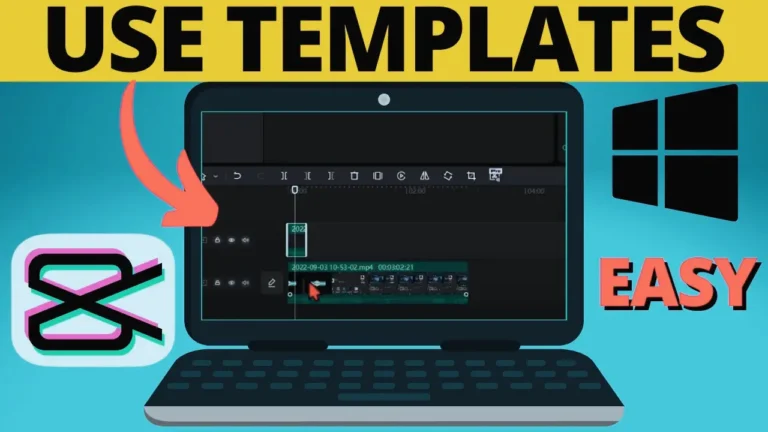
Step 3: Use CapCut for PC for More Free Export Options
Many users don’t realize this, but CapCut for PC offers more free exporting flexibility than mobile.
On PC, you can export:
- 4K videos
- Long projects
- Large file sizes
- High bit-rate videos
If your phone struggles with exporting because of RAM or storage limits, moving the project to PC solves the issue. CapCut PC is free, and CapCut Pro is optional.
Another advantage is stability. PC versions rarely block exports or show false Pro prompts.
Step 4: Remove Paid Templates Before Exporting
CapCut templates are very popular, especially TikTok templates. Many are free, but some show a Pro label.
To export for free:
- Open the template
- Check for the Pro badge
- If it shows Pro, choose another template
- Or edit manually without templates
Free templates export normally without payment.
Step 5: Always Use the Official CapCut Version
Some users install CapCut Mod APK thinking it unlocks Pro for free. In reality, these versions often break exporting.
Common errors from mod apps include:
- “Export Failed”
- “Try Again Later”
- “Rendering Error”
Official CapCut APP works better and is safer. Even CapCut Old Version exports fine if it’s official.
Step 6: Clear Cache if Export Keeps Failing (Android)
If exporting fails even without Pro elements, try this:
- Open Settings
- Go to Apps
- Select CapCut
- Tap Clear Cache
- Restart the app
This fixes many export problems by freeing temporary storage. On iOS, simply restarting the device helps.
Step 7: Check Storage Space on Your Device
CapCut needs free space to render videos. Even small projects use temporary memory.
Recommended free space:
- At least 1GB for short videos
- 4GB or more for long or 4K videos
Low storage can cause fake Pro warnings or export errors. These issues are about space, not payment.
Step 8: Export via TikTok (Optional Method)
When you are using a CapCut template connected to TikTok you can export via Tik Tok.
Steps:
- Open the template
- Tap Use Template in TikTok
- Finish editing
- Save as draft
- Download from TikTok settings
This method may add a TikTok watermark, but it works without CapCut Pro.
Step 9: Screen Recording (Last Option)
This is not ideal, but it works if everything fails.
- Play the video full screen
- Turn on screen recording
- Save the video
- Crop borders if needed
Quality may drop slightly, so use this only as a backup option.
Why You Should Not Pay for CapCut Pro Just to Download
CapCut Pro offers premium fonts, effects, cloud storage, and advanced AI tools. These are useful for some creators. But downloading or exporting videos is always free.
Paying only to export makes no sense. CapCut never locks basic exporting behind a subscription.
Simple rule:
No Pro elements = free export.
Conclusion
You do not need CapCut Pro to download your videos. Avoid Pro effects, templates, and filters, and exporting will work normally on Android, iOS, PC, and Mac. CapCut for PC even offers extra free export flexibility. Most export issues are caused by storage limits, cache problems, or unofficial apps not payment requirements.
Use the official CapCut version, keep your project free of Pro items, and you can download your videos easily without paying anything.
FAQs
1. Can I export 1080p without CapCut Pro?
Yes, 1080p export is completely free on most CapCut versions.
2. Does CapCut add a watermark in free exports?
No, CapCut does not add watermarks to normal free exports.
3. Can I export 4K without paying?
Yes, especially on CapCut for PC. Some phones limit 4K due to hardware.
4. Why does CapCut ask me to pay before exporting?
Your project includes a Pro element. Remove it and export again.
5. Do long videos require CapCut Pro?
No, long videos are free. Only cloud storage may require upgrades.
6. Is CapCut Mod APK good for exporting?
No, mod versions often break exporting and are unsafe.